
Teen Chat remains one of the most searched ways for young people to connect online fast. The appeal is obvious: instant conversations, fresh faces, and zero pressure to build a perfect profile. When done right—with strong moderation, smart privacy habits, and clear age rules—teen chat can feel friendly, useful, and even confidence-boosting.



When done wrong, it can be messy. This guide breaks down what Teen Chat means today, how it works, what to look for, what to avoid, and safer alternatives that still feel fun and social.
Overview
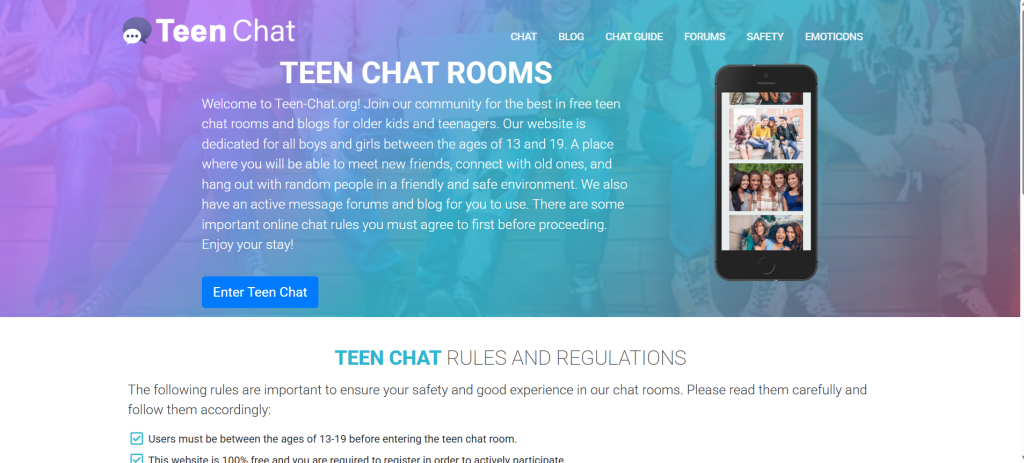
Teen Chat refers to chat experiences designed for ages 13–17, typically offering text, camera-off/on options, and simple “connect”/“next” controls. The best implementations focus on safety first: clear age gates, live/AI moderation, fast report/block, and privacy-by-default. Many teens start with text or voice, then toggle video only when comfortable—and only on platforms with visible rules and transparent enforcement.
At a glance, today’s Teen Chat options cluster into three buckets:
- Teen-first, camera-optional chat: text by default, video as an opt-in, heavy moderation, and slow mode to reduce spam.
- Topic-based teen communities: interest rooms (study, games, anime, music), structured roles, and verified moderators.
- School/club or verified youth communities: invite-only spaces tied to programs, courses, or youth orgs, with consent frameworks and codes of conduct.
How Teen Chat Works (Step-by-Step)
- Pick a space with visible rules for ages 13–17 (no adult content, no DMs from unknown adults, quick ban policies).
- Choose a low-exposure mode first (text/voice).
- Set privacy defaults: display name (not real name), camera off, no auto-save DMs, no location sharing.
- Join a room or 1:1 queue. If the vibe is off, hit Next, Report, or Block.
- Escalate slowly: only use camera when the space feels safe and the rules are enforced.
Core Features Teens Actually Use
- Text-first, camera-optional: lowers exposure and social anxiety.
- Interest rooms & prompts: instant icebreakers keep chats friendly and on-topic.
- Fast moderation tools: in-chat Report, Block, and Mute.
- Age safeguards: clear 13–17 positioning, no adults in teen rooms, and visible enforcement.
- Privacy controls: nicknames, avatar masks, background blur, and camera “push-to-show.”
What to Check Before You Chat (Platform Vetting)
Use this quick vetting table before joining any Teen Chat space:
| Checkpoint | What “Good” Looks Like | Red Flag |
|---|---|---|
| Age policy | Explicit 13–17 rooms; no adults; rules shown up front | Vague “for everyone” messaging |
| Moderation | Live mods + AI; 1-tap report/block; ban history | “Self-policed” only |
| Privacy | Nickname by default; camera off; no location; no contact uploads | Demands real name/phone/socials |
| Data | Plain-English policy; no selling data | Confusing policy; data resale |
| Conduct | Posted code of conduct; enforced | Rules exist but no action |
| Evidence | Audit logs, ban stats, or transparency posts | Nothing public or verifiable |
Pricing & Monetization (What’s Normal)
Most teen-oriented chat experiences are free and ad-supported, sometimes with optional upgrades for cosmetics (themes, badges) or utility (priority queue, extra reactions). Anything that pays for access to users (e.g., “pay to DM more people” or “credits to unlock profiles”) is a red flag in teen spaces. Keep upgrades cosmetic, not contact-driven.
User Base & Demographics (Typical Patterns)
- Age: 13–17 (with most activity clustered around 14–16).
- Intent: new friends, study buddies, fandom talk, game party matching, language practice.
- Peaks: after school/evenings and weekends; lighter during exam blocks.
- Mode: text first; growing voice usage; video limited to trusted rooms or friend circles.
Advantages
- Low-pressure social reps: quick chats build confidence without “perfect profile” pressure.
- Real-time help: study rooms, homework tips, and project accountability.
- Broader horizons: safe exposure to diverse interests and viewpoints.
- Skill practice: language, debate, collaboration—soft skills that last.
Disadvantages & Risks
- Age misrepresentation: some users may lie about their age.
- Boundary testing: pressure to turn camera on or move to private DMs.
- Off-platform pivoting: pushing to external apps or links.
- Inappropriate content: spam, harassment, or sexual content—use Report/Block immediately.
Safety & Privacy (Must-Do Checklist)
Before chatting:
- Use a nickname (no real name).
- Keep camera off by default; use background blur/mask if enabling later.
- Turn off location and read receipts (if available).
- Lock social profiles elsewhere (private accounts, no public contact info).
During chats:
- Share zero personal details (school, phone, city, schedules).
- Don’t click links or scan QR codes from strangers.
- If anyone asks to move to another app, decline and Report.
- If something feels off, it is—Next/Block instantly.
For parents/guardians & educators:
- Review family rules for age-appropriate chat use and set device downtime.
- Keep devices in common spaces during chat sessions.
- Discuss sextortion patterns and how to respond (stop contact, save evidence, report).
- Know the reporting routes: platform report tools and national reporting hotlines where applicable.
Alternatives (When You Want Something a Little Different)
- Voice-only rooms: lower exposure; great for shyer users or late-night study hangs.
- Topic clubs & study servers: structured Discord-style spaces with clear roles/mods (homework help, coding, music production).
- Youth org platforms: school clubs, language exchanges with verified age bands, and nonprofit youth communities with trained moderators.
Quick-Pick Comparison (Friction vs. Safety)
| Need | Choose | Why |
|---|---|---|
| Fast, low-stakes chats | Text-first teen rooms with strict rules | Minimal exposure; quick icebreakers |
| Study buddy accountability | Topic servers with scheduled sessions | Structure, recurring partners |
| Shy or privacy-sensitive | Voice-only teen rooms | No camera pressure |
| Ongoing friendships | Verified youth communities | Consistency + adult oversight |
Setup Templates Teens Actually Use
Nickname ideas (safe & neutral):BlueComet, StudyPixel, Lo-FiLeaf, PuzzleCore, NovaReader
Intro prompts that work:
- “What’s your current school-survival hack?”
- “Two truths & a tiny lie?”
- “One underrated playlist for homework?”
- “What topic would you teach for 5 minutes?”
Boundary scripts:
- “Not comfy sharing that—let’s keep it on topic.”
- “I don’t move to other apps. If that’s a must for you, I’ll pass.”
- “Camera stays off for me today—text/voice only.”
Moderator Playbook (For Community Leads)
- Post rules inside the room (no outside links, no age baiting, no personal info).
- Automate onboarding with a rules quiz + reaction role to enter teen rooms.
- Real-time tools: slow mode, keyword alerts, link stripping, NSFW image filters.
- Visible enforcement: publish monthly ban stats and what behaviors triggered bans.
- Clear escalation: warn → mute → kick/ban; preserve evidence for reports.
FAQs
1) What does “Teen Chat” mean?
Chat spaces positioned for ages 13–17, ideally with text-first modes, strict rules, and active moderation.
2) Is camera use required?
No. The safest flows start camera-off and only enable video when comfortable.
3) Can adults be present in Teen Chat?
Legitimate teen spaces exclude adults from teen-only rooms; mixed-age public rooms are not “Teen Chat.”
4) What’s the safest way to start?
Nickname + camera off + text-first, then add voice/video later if the room and rules feel solid.
5) Should I ever share my phone or socials?
No. Keep conversations in-platform and public; decline off-platform pivots.
6) How do I handle weird or pushy behavior?
Stop. Report, Block, Next. Save evidence if needed.
7) Are “credits” or “gems” okay?
Cosmetics are fine; anything that pays for extra contacts or bypasses rules is a red flag.
8) What if I see harassment or sexual content?
Don’t engage; Report/Block. Mods should remove and record the incident.
9) Can I use a VPN?
Some platforms allow it, some throttle it. VPNs can also trigger extra checks.
10) What about homework help?
Look for topic rooms with study channels, timers, and role-tag systems for subjects.
11) How do I avoid doxxing myself on video?
Neutral background, blur/mask, no posters, trophies, mail, or school logos.
12) What should parents do?
Set ground rules, keep devices in shared spaces, discuss reporting steps, and review platform privacy/settings together.
Final Verdict

Teen Chat can be positive when it’s text-first, camera-optional, and genuinely moderated. The fastest path to safe fun is simple: choose teen-only rooms with clearly posted rules and active enforcement; start camera-off; keep info private; use Report/Block without hesitation; and stick to platforms that value privacy over growth hacks. Do that, and Teen Chat can be what it promises—fast, friendly, and safe enough to be worth your time.